Screenshots
App details
- Version
- 1.9.4
- Size
- 1.48 MB
- Updated
- May 30, 2012
- Requires
- Windows XP
- Language
- English
- License
- Free
- Developer
- desksware
- Category
- Windows OS
SoftPas in:
This product is also available in the following languages:
About Desktop iCalendar Lite
Download Desktop iCalendar Lite – free Windows calendar and to‑do list tool
Overview
Desktop iCalendar Lite is a lightweight, free‑of‑charge calendar and to‑do list application designed exclusively for Windows desktops. Developed by desksware, this productivity‑focused tool blends a classic calendar interface with a simple task manager, letting users keep track of appointments, holidays, and daily chores without the bloat of larger suites. Since its introduction to the catalog in 2011, Desktop iCalendar Lite has amassed more than 115,000 installations worldwide, enjoying particular popularity in the United Kingdom, Ghana, and Germany. The current version, 1.9.4, was last updated on May 30 2012 and remains compatible with Windows XP and earlier releases, making it a solid choice for legacy systems that still need a reliable scheduling companion. The program is distributed in English only, and its modest disk footprint—far smaller than most productivity software—means it can be installed on machines with limited storage without sacrificing core functionality. Whether you’re a freelance professional juggling client meetings, a student managing coursework deadlines, or a home user planning family events, Desktop iCalendar Lite offers a straightforward, secure way to stay organized while keeping your computer running smoothly.
Features, Compatibility and What Sets It Apart
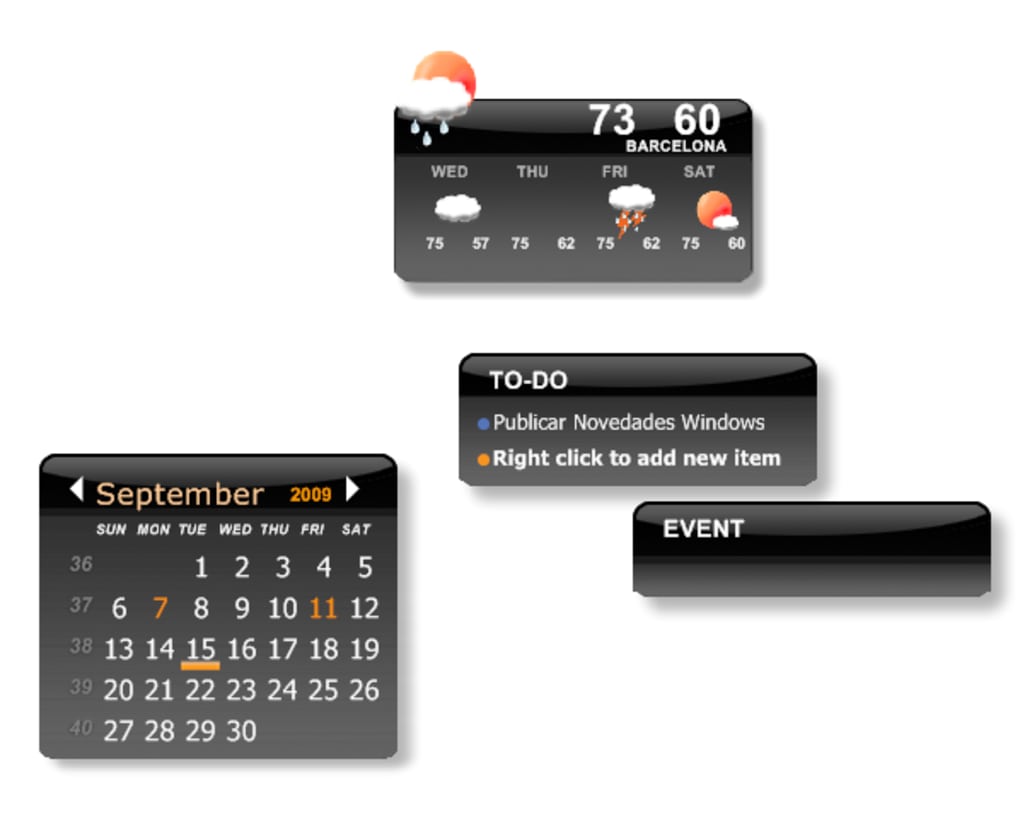
- Monthly, weekly, and daily calendar views with colour‑coded event markers.
- Integrated to‑do list that syncs with calendar dates for deadline awareness.
- Recurring event support for birthdays, anniversaries, and regular meetings.
- Import and export capabilities for .ics files, enabling easy data migration.
- Search function that filters events and tasks by keyword, date range, or category.
- Customisable reminders via pop‑up alerts or system tray notifications.
- Lightweight installer (under 5 MB) that occupies less than 10 MB of disk space after installation.
- Fully offline operation—no internet connection required, preserving privacy.
- Printable calendar sheets for quick reference without a screen.
- Simple, English‑only interface that reduces the learning curve for new users.
Compatibility
Desktop iCalendar Lite is built for legacy Windows environments. It runs natively on Windows XP, Windows 2000, and earlier versions, ensuring that older workstations or refurbished PCs can still benefit from modern scheduling features. The software does not support Windows Vista, 7, 8, or 10, nor is there a Mac, Linux, Android, or iOS version. Because it is a pure desktop application, there is no need for additional runtimes or .NET frameworks beyond what is already present in the supported operating systems.
Pros and Cons
- Pros
- Extremely low system resource usage – ideal for older hardware.
- Free of charge with no hidden ads or subscription fees.
- Simple, uncluttered UI that users can master within minutes.
- Full offline capability protects user data from cloud‑related privacy concerns.
- Recurring events and reminders cover most everyday scheduling needs.
- Cons
- No native support for Windows 10/11 or newer operating systems.
- Lacks cloud sync, so calendars cannot be accessed across multiple devices.
- English‑only interface limits accessibility for non‑English speakers.
- No mobile companion apps (Android/iOS) for on‑the‑go access.
- Feature set is basic compared with full‑featured suites like Microsoft Outlook.
Desktop iCalendar Lite delivers exactly what its name promises – a lean, dependable calendar and task manager for Windows desktops that need to stay functional without the overhead of modern cloud‑centric apps. While the lack of cross‑platform sync may deter power users, the software shines in environments where simplicity, security, and low resource consumption are paramount. Its clear layout and straightforward reminder system make it an excellent choice for small businesses, schools, or anyone operating on older hardware.
Installation, First‑Run Guidance and Frequently Asked Questions
Getting Desktop iCalendar Lite up and running is intentionally straightforward. The installer is a single executable file that guides users through a classic Windows setup wizard. Because the program does not rely on external services, the installation process is quick—typically under a minute on legacy machines.
How to Install Desktop iCalendar Lite
- Download the Desktop iCalendar Lite installer from the official desksware download page.
- Locate the downloaded
.exefile (usually in your Downloads folder) and double‑click it. - When the Windows Security warning appears, click Run to continue.
- Follow the on‑screen prompts: accept the license agreement, choose an installation folder (the default works for most users), and click Install.
- After installation completes, click Finish** to launch the application.
First‑Run Tips
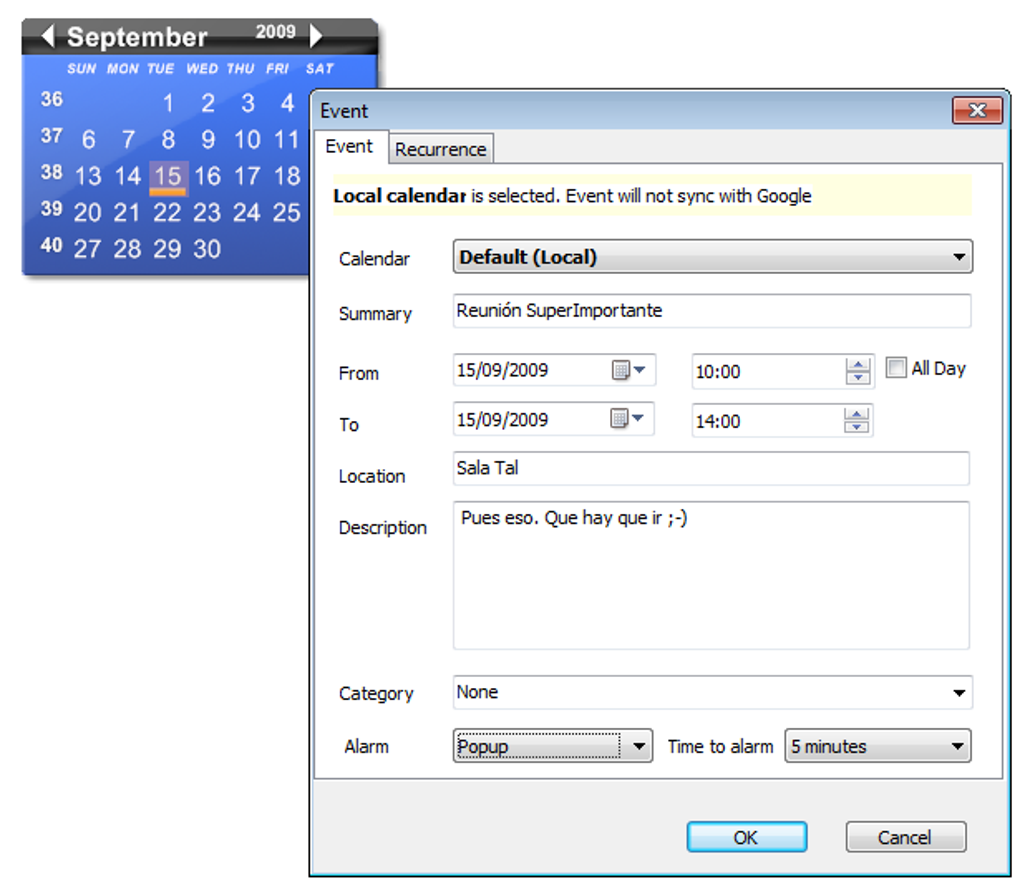
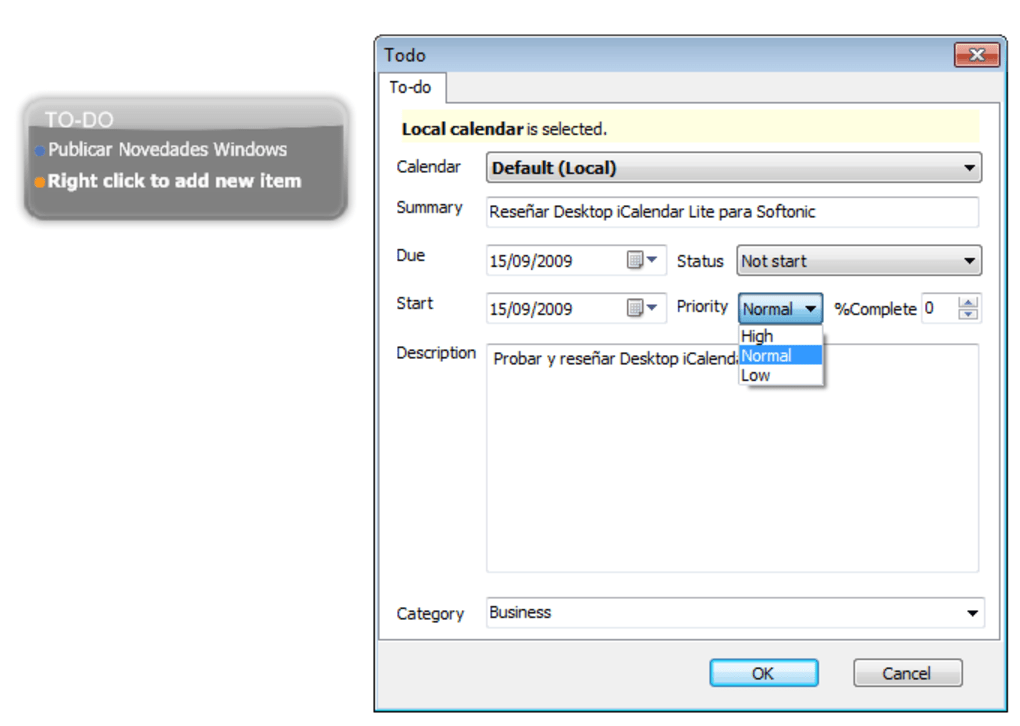
Upon launching Desktop iCalendar Lite for the first time, you will be greeted with a clean month view. To add an event, simply double‑click the desired date, fill in the event title, time, and any notes, then press Save. For tasks, click the To‑Do tab on the left sidebar, then use the New Task button to enter a description and associate it with a due date. The program automatically places tasks on the calendar when a date is chosen, giving you a visual overview of upcoming responsibilities.
Is Desktop iCalendar Lite completely free?
Yes, the application is offered at no cost. There are no hidden fees, trial periods, or mandatory advertisements.
Can I import events from Google Calendar?
Desktop iCalendar Lite supports the standard .ics format, so you can export your Google Calendar as an .ics file and then import it via the File → Import menu.
Will the software run on Windows 10?
Officially the program is built for Windows XP and earlier. While it may launch on Windows 10 in compatibility mode, full functionality is not guaranteed.
Does Desktop iCalendar Lite sync with mobile devices?
No. The application is strictly a desktop solution and does not offer cloud or mobile synchronization.
How do I back up my calendar data?
All calendar and task data are stored in a local file (usually iCalendarLite.db) within the installation directory. Copy this file to an external drive or cloud storage to create a manual backup.
Conclusion – Why You Should Download Desktop iCalendar Lite Today
If you are looking for a no‑frills, dependable calendar and task manager that runs smoothly on older Windows machines, Desktop iCalendar Lite stands out as a practical, free solution. Its tiny footprint, offline‑first design, and intuitive interface mean you can get organized instantly without worrying about updates, subscriptions, or privacy compromises. While power users may miss cloud sync and mobile apps, the core functionality—event scheduling, recurring reminders, and integrated to‑do lists—covers the needs of most individuals and small teams. Click the button below to start your download, install the program, and enjoy a clutter‑free way to keep your days in order.
Guides & Tutorials
How to install Desktop iCalendar Lite
- Click the Download button above.
- Once redirected, accept the terms and click Install.
- Wait for the Desktop iCalendar Lite download to finish on your device.
How to use Desktop iCalendar Lite
This software is primarily used for its core features described above. Open the app after installation to explore its capabilities.
User Reviews
No reviews yet. Be the first to share your experience.
You may also like
more
Llama 2
Free-to-use large language model As the new addition to Meta’s arsenal of langua...

NotebookLM
Revolutionizing the note-taking and idea-generation process NotebookLM is an exp...

Github co pilot
AI-inspired software development and coding platform GitHub Copilot is a browser...

Google Gemma
Google’s lightweight AI models Introducing Google Gemma , a family of cutting-ed...

AI Image Enlarger
A free app for Windows, by ai-image-larger. AI Image Enlarger is a free software...

DALL E
AI-driven text-to-image transformation engine DALL·E is a free graphic and desig...